If you’ve spent any time searching for how to start a blog and make money online, you’ve likely run into two very different—and very frustrating—camps of advice.
On one side, you have the Pure Bloggers who tell you to just write great content for two years and hope that Google eventually sends you enough traffic to make a few pennies from ads. On the other side, you have the Hustlers who tell you to spam affiliate links on social media without ever building a digital home of your own.
Both of these paths are flawed.
At The Home Business Challenge, I advocate for a Hybrid Approach. This strategy combines a high-performance, professional foundation with a high-yield profit engine that kicks in almost immediately.
The Winning Formula:
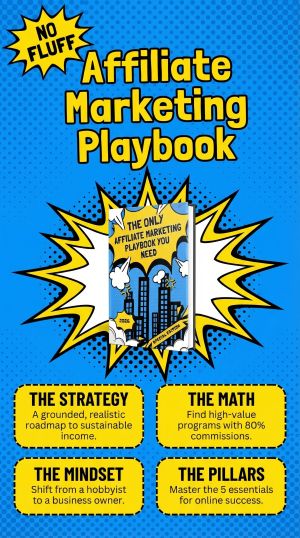
To build a business that lasts, you need a setup that is fast, beautiful, and—most importantly—profitable. We achieve this by focusing on four key pillars:
- Kinsta & WordPress: For world-class speed and reliability.
- Divi: For a stunning, "no-code" professional design.
- The Home Business Academy (HBA): For an "All-in-One" $25 business model that pays 80% commissions (and also includes a funnel builder, email marketing platform, outreach automation, and so much more.
The goal isn't just to "have a blog." The goal is to reach Day 1 Profitability. In this guide, I’m going to show you how to set up your technical foundation and why we use a specific "2 Sales = Profit" model to ensure your business pays for itself as quickly as possible.
Let’s dive into why your technical foundation is the first step toward online success.

At The Home Business Challenge, I believe in being a practitioner, not just a theorist. That’s why I disclose that I am an affiliate for several tools mentioned in my guides. When you use my links, you’re helping support my work in finding the best "Survival" strategies for home businesses. I’m an Amazon Associate and an affiliate for brands I trust. I’ll always give you my honest take, regardless of the commission, because your trust is my most valuable asset.
The Foundation: Why Your Setup Matters
Your tech stack is the digital real estate your business lives on. If your foundation is shaky, your rankings will suffer, and your visitors will bounce before they even see your offer.
Most beginners make the mistake of choosing the cheapest hosting possible, only to realize later that their site loads like a snail, gets hacked, or doesn't rank. If you want to be treated like a professional, you need a professional setup. Here is why we utilize the trio of Kinsta, WordPress, and Divi.
Kinsta: The High-Performance Engine
Think of Kinsta as the Ferrari engine under the hood of your blog. It is a managed WordPress host powered by the Google Cloud Platform. Most guru's out there tell you to grab cheap hosting and they'll recommend it just for the affiliate commissions. No way am I sending you to any of those hosting platforms! They're terrible, slow, will cause you more problems, and cost you more money in the long run!
That's why I can't recommend Kinsta enough. You will literally not have to worry about your hosting again.
Speed is a Ranking Factor: Google explicitly favors fast-loading sites. Kinsta’s infrastructure ensures your pages snap open instantly.
Hands-Off Security: You don’t have to worry about hacks or server maintenance. They handle the techy stuff so you can focus on writing and marketing.
Scalability: As your traffic grows from a few readers to thousands, Kinsta scales with you without your site crashing.
WordPress: The Brain of Your Business
While there are plenty of easy website builders out there, WordPress.org remains the gold standard for anyone serious about making money.
Ownership: Unlike proprietary platforms, you own your content and your site.
SEO Dominance: WordPress is built for Search Engine Optimization. With the right structure, it’s much easier to rank for competitive keywords like "make money online."
Plugin Power: Whether you need to add an email opt-in form or an advanced tracking pixel, WordPress has a tool for it.
Divi: The Face of Your Brand
If Kinsta is the engine and WordPress is the brain, Divi is the personality. Divi is more than just a theme; it’s a visual page builder that replaces the standard WordPress post editor with a vastly superior tool.
No Coding Required: You can drag and drop elements to create agency-level designs that look like they cost $5,000 to build.
Complete Creative Control: You can customize every pixel to match your brand, ensuring your blog doesn't look like a cookie-cutter template.
Conversion Focused: Divi makes it incredibly easy to build Bridge Pages and Call to Action buttons—essential components for turning readers into leads.

By combining these three, you aren't just starting a hobby blog; you are launching a high-performance marketing machine. Now that the foundation is set, let's look at how to actually get it up and running.
Step-by-Step: Launching Your Home Business Site
Setting up a professional blog doesn’t have to be a technical nightmare. By following these three steps, you can move from "idea" to "live website" in a single afternoon. Here is the exact workflow I use at The Home Business Challenge to get a site ready.
Step 1: Spin Up Your WordPress Instance on Kinsta
Once you’ve signed up for Kinsta, the process is nearly automated.
One-Click Install: From your MyKinsta dashboard, select "Add Site" and choose "Install WordPress."
Site Settings: Give your site a title (like the name of your site) and select your data center location.
SSL & Security: Kinsta automatically provides a free Let’s Encrypt SSL certificate. This gives you that Green Padlock in the browser, which is vital for building trust with visitors and ranking on Google.
Step 2: Install and Activate the Divi Theme
With WordPress live, it’s time to give it a professional makeover.
Upload the Theme: Download the Divi theme from Elegant Themes and upload the .zip file to your WordPress "Themes" section.
The Visual Builder: Once activated, you’ll see the "Enable Visual Builder" button on the front end of your site. This is where the magic happens—you can now edit your site by clicking and typing directly on the page.
Premade Layouts: If you aren't a designer, don't sweat it. Divi comes with hundreds of Layout Packs for business and marketing. Pick one that fits your vibe, click "Use This Layout," and your entire site structure is built instantly.
Step 3: Create Your "Cornerstone" Pages
Before you start blogging, you need a few essential pages to act as the "bones" of your website:
- The Home Page: Clearly state what your blog is about and who it helps.
- The About Page: Share your journey. People join people, not businesses. Mention your goal of reaching financial freedom through the Home Business Academy.
- The Bridge Page: This is the most important page for your HBA strategy. It’s a simple page that "bridges" the gap between your blog content and the HBA sales video. Use Divi to create a clean layout with a bold headline and a "Start Your $25 Business" button.
By the time you finish Step 3, you have a high-speed, beautiful website that is officially open for business. Now, let’s talk about the Profit Engine that makes all this technical work worth it.
Monetization: The Home Business Academy (HBA)
Now that your foundation is built with Kinsta and Divi, it’s time to plug in the profit engine. While there are thousands of affiliate programs out there, most beginners fail because they chase low-ticket items. Selling a $20 book on Amazon might earn you a $0.80 commission—you would need thousands of sales just to pay for your coffee.
I focus on The Home Business Academy (HBA) because it flips the traditional model on its head.
What is the HBA "All-in-One $25 Business"?
The Home Business Academy is a community and training platform designed to teach you exactly how to build a profitable business from home. Their flagship product is the All-in-One $25 Business, which provides you with the funnel builders, marketing training, email marketing platform, outreach automation tool, and community support you need to succeed.
But the real magic for bloggers is the Affiliate Advantage.
The 80% Commission Structure
Most affiliate programs offer 5%, 10%, or maybe 30% commissions. HBA pays out 80% commissions.
- The Math: The core business costs $25 per month (and $125 per month for the traffic & conversion training).
- Your Cut: You receive $20 per month for every person you refer (and $100/month for each person who upgrades), for as long as they remain a member.
- Residual Income: This isn't a one-time payment. It is monthly recurring income that builds a snowball effect for your bank account.
The "2 Sales = Profit" Pitch
This is the cornerstone of our strategy. In most businesses, it takes months or years to break even. With HBA, the math is incredibly simple:
- Your Cost: $25/month.
- Sale #1: You earn $20/month. You are now 80% subsidized.
- Sale #2: You earn another $20/month (Total $40/month).
| Metric | Traditional Affiliate (e.g., Amazon) | HBA All-in-One Business |
| Commission Rate | 1% – 10% | 80% |
| Sale Value | Variable (usually low) | $20/mo (Recurring) |
| Sales to Break Even | 50 – 100+ sales | 2 Sales |
| Income Type | One-time | Monthly Residual |
With just two referrals, your entire business is paid for, and you are officially in a net-positive profit position. This is a massive psychological win. Once your business is "free" and putting an extra $15 in your pocket every month, the pressure is off. You aren't "spending" money on your blog anymore; your blog is a revenue-generating asset. Every sale after the second one is pure, scalable profit.
By focusing your blog content on helping others reach this "2-sale" milestone, you create a value-driven business that helps people find freedom while securing your own.
Strategy: How to Make Those First 2 Sales
Building the site and joining the HBA is the setup—now it’s time for the execution. The "2 Sales = Profit" goal is so attainable because you don’t need thousands of visitors to make it happen; you only need a handful of the right visitors.
Using your WordPress and Divi setup, here is how you move someone from a curious reader to a business partner.
Create a High-Converting "Bridge Page"
In the affiliate world, sending traffic directly to a sales page is a rookie mistake. Instead, use Divi to build a "Bridge Page." This is a simple, clean page on your blog where you:
- Introduce Yourself: Use a short video or a few paragraphs to explain why you chose the HBA.
- Pre-Frame the Value: Explain the "2 Sales = Profit" math. People love the idea of a business that pays for itself quickly.
- The Hand-off: Provide a clear button that says, "Watch the HBA Presentation Here." Because they’ve already met you on your blog, they are much more likely to trust the recommendation.

Write "Problem-Solving" Content Pillars
To get those first two sales, your blog posts should solve specific problems for your target audience. Instead of just "How to Make Money," try topics like:
- “How to Start an Online Business on a $25 Budget”
- “The Fastest Way to Break Even in Affiliate Marketing”
- “Kinsta vs. Bluehost: Why Speed Matters for New Bloggers”
Each of these posts should naturally point back to your HBA Bridge Page as the ultimate solution.
The "Documentation" Strategy
You don't have to be a "guru" to make those first two sales. Simply document your journey. Write a post titled "My First 30 Days with the Home Business Academy." Share your progress, show your Divi site, and be honest about what you’re learning. Authenticity is the fastest way to attract the two people who want to follow in your footsteps.
The Best Strategy For Last - the HBA Has You Covered
When you join the HBA, you have access to three things right away that will help you start generating sales:
- The Fast-Start Training - This training will tell you exactly how to start getting sales right away.
- The Outreach Automation Tool - this tool leverages the power of AI to do automated outreach so you can start reaching out to people even while you're sleeping!
- The Turnkey System - Right away, you have access to simply grab a link and go! The link is your affiliate link that goes to an opt-in page and already has an email follow-up sequence built-in for you. So really you don't have to do any of the usual setup! Just get people to click on that link! 🙂
Start Your Challenge Today
Starting a blog can feel like a mountain of technical hurdles and "what-ifs," but it doesn't have to be. By combining the professional power of Kinsta and Divi with the high-yield simplicity of The Home Business Academy, you are bypassing the "starving blogger" phase and moving straight into the role of a digital entrepreneur.
Remember, the goal isn't perfection—it’s profitability. Most businesses are weighed down by thousands of dollars in overhead and years of waiting to break even. Your goal starts with a much simpler finish line: Two sales.
Your Roadmap to Freedom
- Secure Your Foundation: Get your high-speed hosting with Kinsta and install WordPress.
- Design for Success: Use Divi to build a site that reflects your brand and your vision.
- Activate Your Profit Engine: Join the HBA for $25 and focus entirely on those first two referrals to put your business in the green.
Don’t get stuck in "analysis paralysis." The internet moves fast, and the best time to plant your digital flag was yesterday. The second best time is right now.
FAQ: Starting a Profitable Blog in 2026
Yes. While Google's "AI Overviews" provide quick answers to simple questions, they cannot replace personal experience, community, and expert recommendations. In 2026, the most profitable blogs are those that act as "content engines" for a business—like the HBA model. By providing specific, human-led advice and a community, you offer value that AI cannot replicate.
A "lean" professional setup using our recommended stack typically costs around $450–$600 for the first year. This includes:
Kinsta Managed Hosting: ~$35/month (billed monthly or annually).
Divi Theme: ~$89/year (or a one-time lifetime fee).
Domain Name: ~$15/year.
HBA Business: $25/month.
While you can find "cheaper" hosting, Kinsta includes your SSL, security, and CDN, which saves you from buying extra plugins later.
The average blog can take 6–12 months to see significant traffic, but the HBA "2 Sales = Profit" strategy is designed to bypass this. By focusing on high-ticket 80% commissions instead of low-paying ads, many of our members reach "net-positive" status within their first 30–60 days.
Not at all. In 2026, WordPress and Divi have become incredibly intuitive. Divi’s visual "drag-and-drop" builder means if you can move a mouse and type a Word document, you can design a professional website. Kinsta also handles all the server-side technical work (backups, security, speed optimization) for you.
Technically, you can use free platforms like Blogger or Medium, but I don't recommend it. On free platforms, you don't own your "digital real estate." They can shut you down at any time, and they often have strict rules against affiliate marketing. To build a real business, you need the ownership that comes with a self-hosted WordPress site.
A Bridge Page is a simple landing page that sits between your blog post and your affiliate offer (HBA). Its job is to "bridge" the trust gap by introducing you, sharing your results, and explaining why you recommend the product before sending the visitor to the official sales video.
In 2026, quality beats quantity. Instead of posting every day, focus on publishing one "Power Post" per week—something highly helpful, SEO-optimized, and full of original insights. Consistency is key, but don't burn yourself out trying to compete with AI-generated spam.